Editing an affilate site
Step-by-step guide
To edit an existing affiliate member website follow these steps in order;
MMS & Chassis
- Login to MMS.
- Edit the member record for which you would like to create the affiliate site.
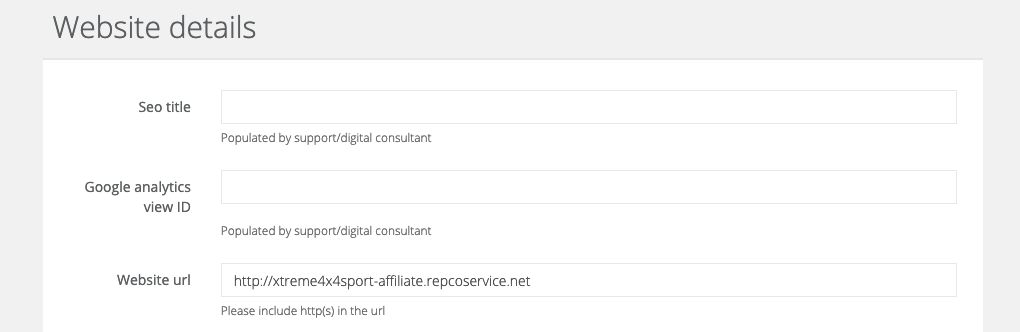
- Save the edit.
- Login to Chassis (use your MMS credentials).
- Edit the website for which you are updating.
- Update the canonical domain to be the same at the URL in the MMS record.
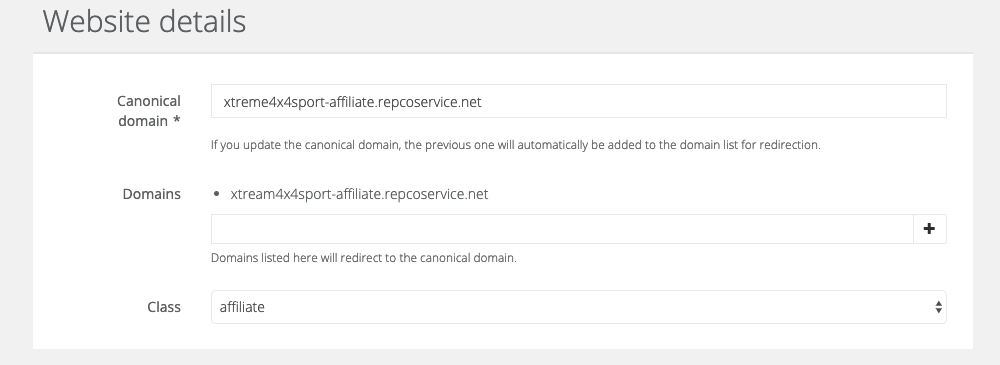
- Add the old domain as a `domain` to it is redirected to the canonical domain.
- Save the edit.
AWS
- Login to AWS.
- Edit the CNAME and value record use the new canonical URL added to Chassis.