Sending a member email
MMS has the ability to send an email to a member’s business email addresses based on the content of the email and CC yourself, the member’s RM and/or the member’s BDM.
Goal
To centralise communication and have detailed records of what happens on a member's record.
Send a member email from MMS
- Login to MMS.
- Navigate to the members model.
- Select the member you wish to email.
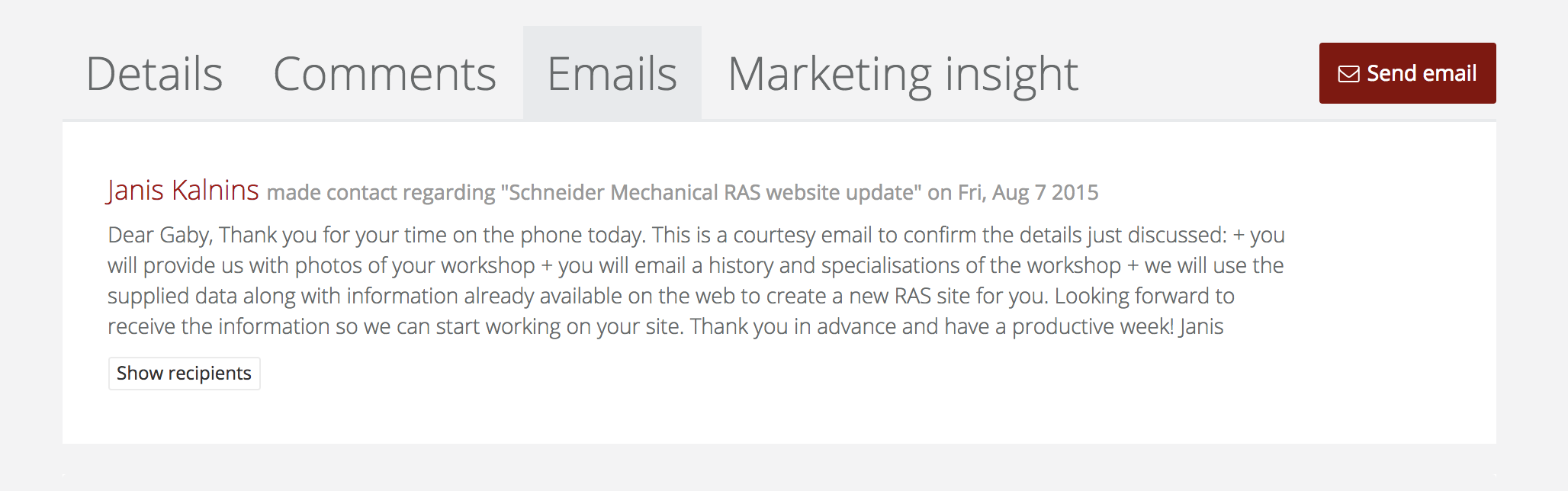
- On the overview screen, select the emails tab then send email.
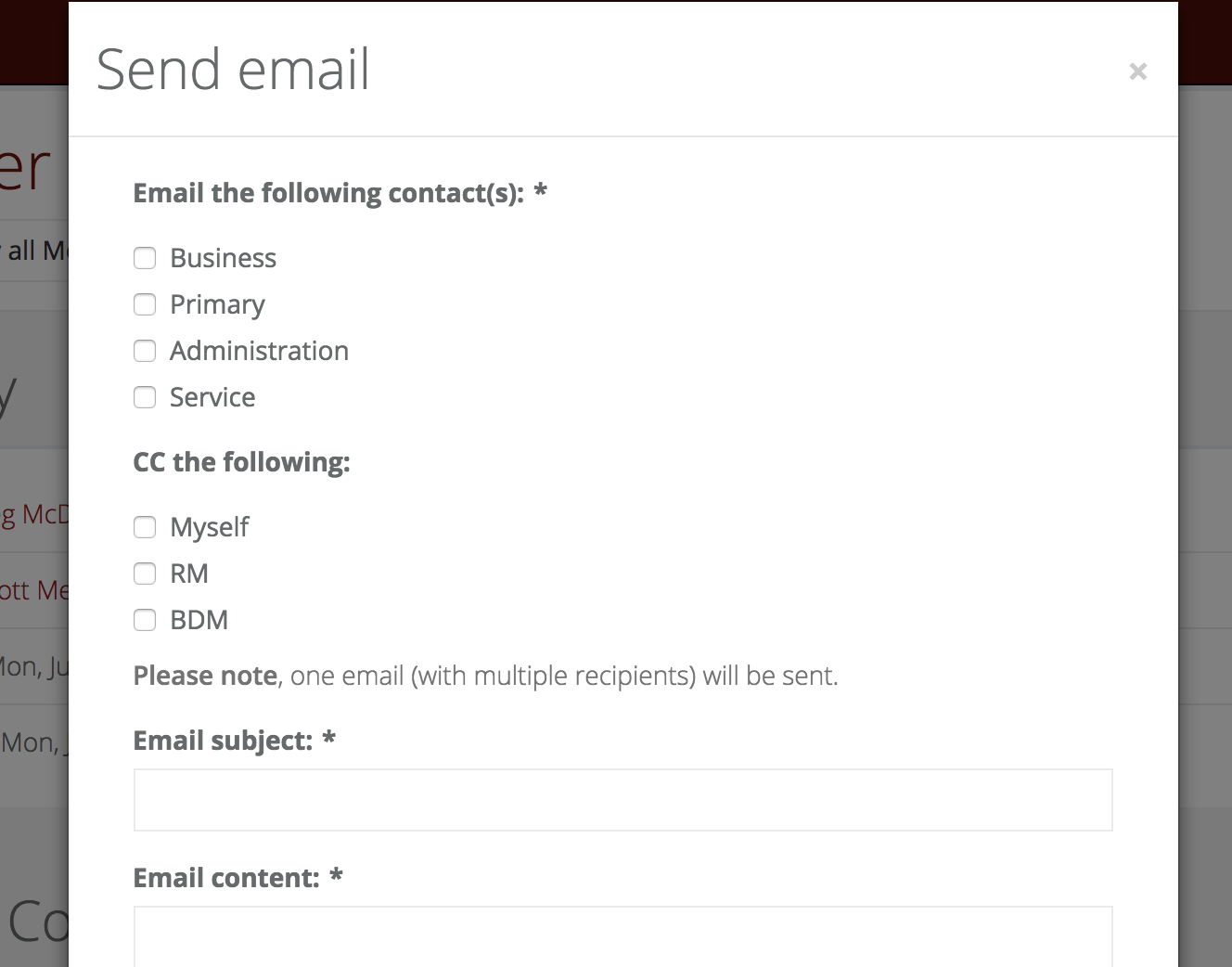
- To prepare an email select the business function of the member you want to contact, add a subject and the content. If you wish you can also choose to copy in (CC the following) your own email address, the RM or the BDM.
- Send the email.
Note: When you send an email to a member it doesn’t matter how many contacts you have selected, only one email with multiple recipients will be sent. Therefore you will only receive one copy of that email when you CC yourself and/or the RM/BDM.