Moving a group of members from one RM to another
In the event that a Regional Manager leaves RAS all of their members will need to be reassigned to the new person or disbursed to other RMs. This could be a large job if done manually but there is a way around it. Follow these steps;
- Log-in to MMS.
- Navigate to Members.
- Add a filter for `RM` and select the RM you are moving the members from.
- Select all the dealers you want to move.
Info: Don't forget to increase the number of records per page if you are using select all as you will only be selecting that page if you use 'select all'. - At the top of the page, you will now see the group actions button, select assign RM.
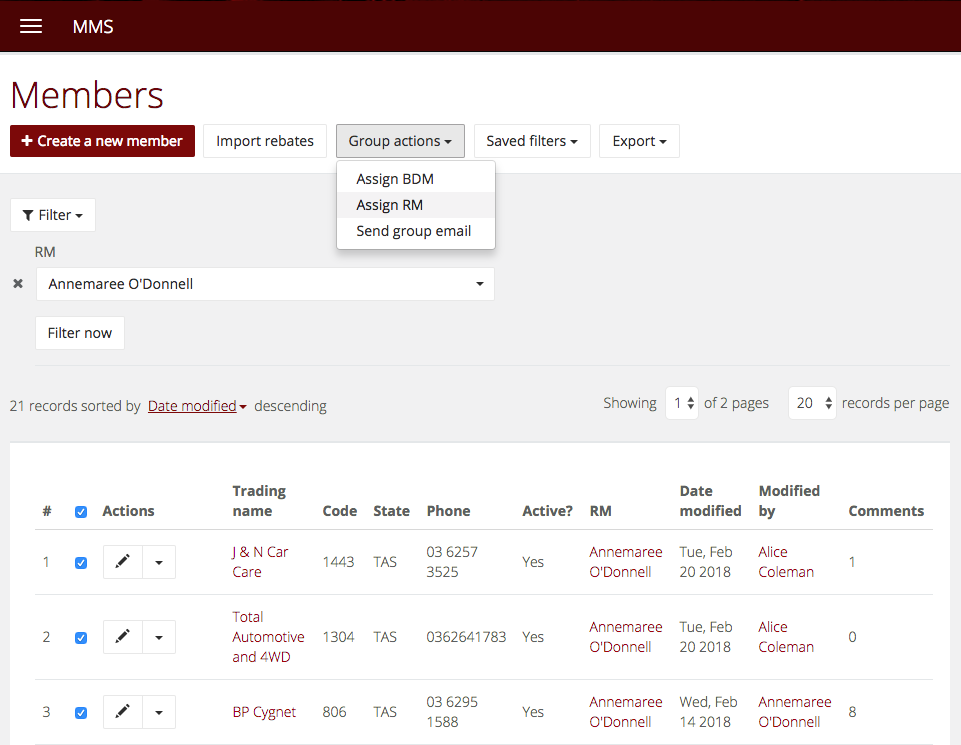 Info: The group actions will not be available until you have selected some members using the checkboxes next to each
 - Select the new RM and update and the selected members will be moved to the new RM.
 Info: The group actions will not be available until you have selected some members using the checkboxes next to each