Duplicate contact and booking forms
This article details a fix implemented to avoid duplicate contact and booking forms being created and sent to members.
Goal
To reduce the inconvenience caused to members when they receive duplicate contact and booking forms from their websites.
How it works
We use the following fields to determine if a contact or booking form is a duplicate;
- Member
- Name
- Phone
- Message
- Source
If all of these fields match with a previous contact or booking form, we will mark the record as a duplicate and ensure the member isn't notified.
There is a new field for this called 'is duplicate'. We also store the object id of the record we think it is duplicating to as a link on duplicated record.
This is what the duplicate records will look like on the contact form list view;

If you view a duplicate record the validation section it will look like this;
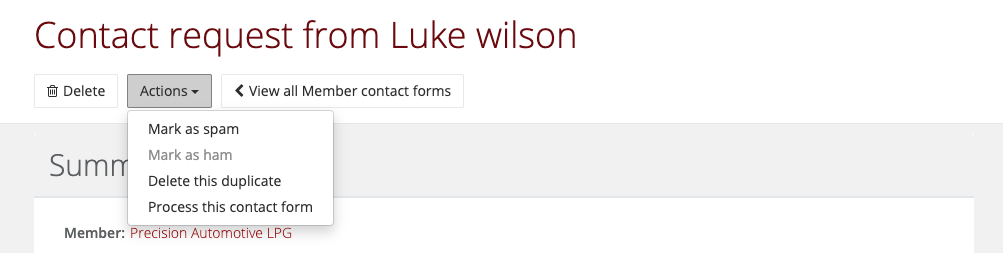
 If for any reason you need to send a duplicate on to a member there is a custom action on the contact form overview that will allow you to process or delete the record;
If you would like to review the contact or booking forms to ensure the duplicates aren't being incorrectly marked you can do so on the contact form list view or the booking form list view at a glance.